
AI Homework Checker: Catch Your Own Mistakes Before You Turn It In
An AI homework checker reviews the work you already finished, flags exactly where it went wrong, and explains why in plain language so the fix actually sticks. Tools built this way — like AI powered homework help from Kai — sit closer to an intelligent tutoring system than a plain answer generator, because the whole point is diagnosing your reasoning, not replacing it.

The goal isn’t to hand you a fresh answer — it’s to turn «I think this is right?» into «I know why it’s right.» Kai is an AI study companion built to check your work, not do it for you, and that distinction shapes everything below.
What an AI Homework Checker Actually Does
A homework checker is a narrower tool than most people assume, and understanding that narrowness is what makes it useful. It doesn’t start from a blank problem — it starts from your finished attempt and works backward to find where the logic broke.
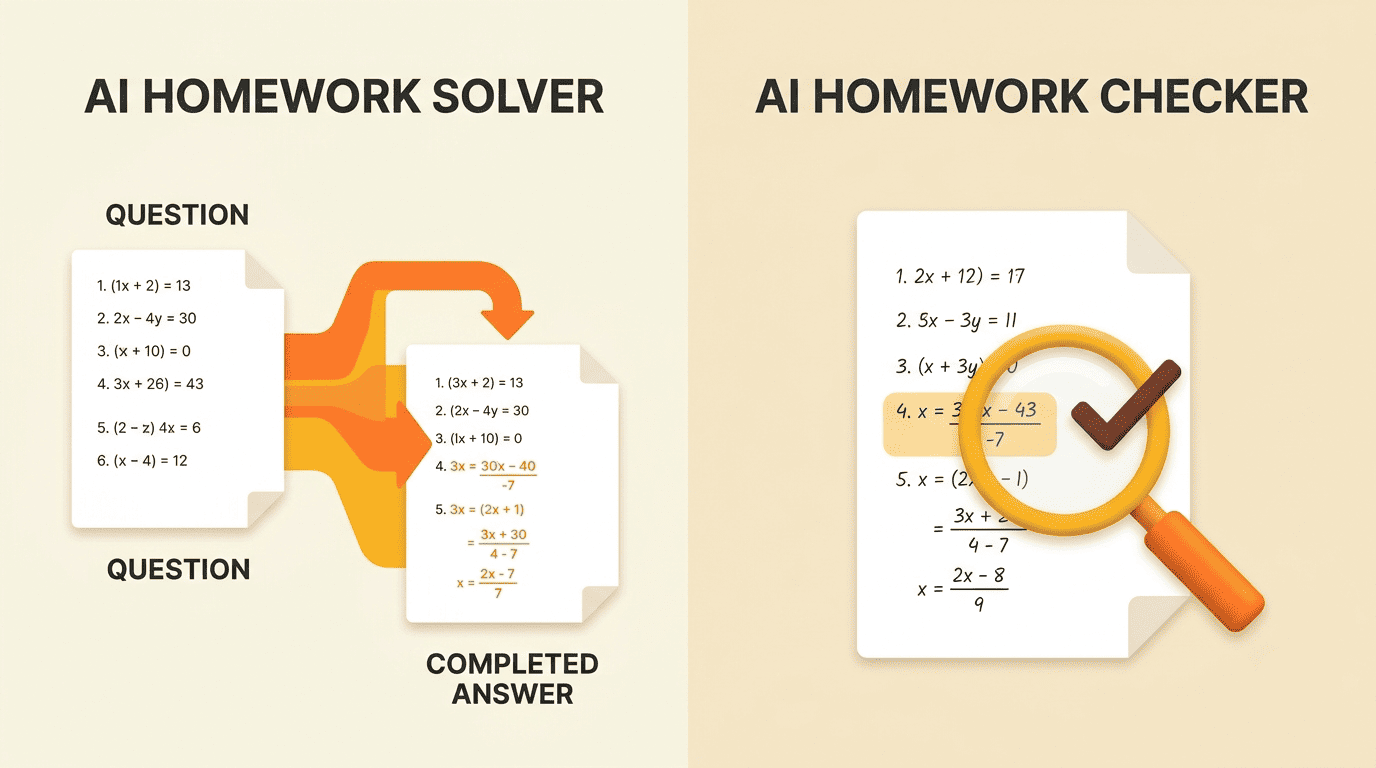
Checker vs. solver: two different jobs
A solver produces an answer from scratch, given only the question. A checker starts from the answer you already wrote and evaluates it against a correct method. Decopy’s homework-correction mode, for example, reviews completed work, spots the mistakes, and returns corrections — while most tools in this space default to solving from zero. That framing matters more than it sounds: a checker keeps you in the driver’s seat for the actual thinking, and only steps in once you’ve committed to an approach.
| AI homework solver | AI homework checker | |
|---|---|---|
| Starting point | Blank question | Your finished answer |
| Main output | A new answer | A flagged mistake + explanation |
| Risk of passive copying | Higher | Lower |
| Best used for | Getting unstuck before you start | Verifying and learning after you finish |
«Check my work» in practice
You submit your finished problem or essay; the checker compares it against a correct method, marks the exact step that breaks, and shows the corrected path alongside it. Varsity Tutors’ homework-help flow explicitly ends in «learn and practice,» not just a corrected answer — which is the model this article follows, and the one Kai is built around.
How an AI Homework Checker Finds and Explains Mistakes
Spotting an error is the easy part for a language model. Explaining it in a way that changes how you solve the next problem is the harder, more useful part — and it’s what separates a real checker from a red pen.
Step-by-step, not just a red X
A good checker doesn’t only say «wrong.» It isolates the failing step. Take 2x + 5 = 13: if you subtracted incorrectly before dividing, a checker catches that specific move, shows the correct one, and walks the rest of the way to x = 4 so you see the whole chain, not just the fixed line. Some tools go further — MathGPT, for instance, generates AI video explanations with animation and voiceover on top of the written steps. Kai highlights the exact line that broke and explains the rule behind it, so the correction reads like a mini-lesson rather than a verdict.
Why understanding the error beats copying the fix
Metacognition research backs this up directly. Columbia University’s Center for Teaching and Learning recommends designing assignments so students «monitor progress, identify and correct mistakes, and plan next steps» — the act of noticing and fixing your own error is treated as a core part of learning, not a detour from it.
Design homework assignments that ask students to focus on their learning process. This includes having students monitor progress, identify and correct mistakes, and plan next steps.
Columbia University Center for Teaching and Learning
This is where a checker earns its keep. It doesn’t just tell you the answer was wrong — it turns the wrong answer into the exact lesson you personally needed, at the exact moment you were ready to hear it. A useful explanation usually covers:
- The exact step where the reasoning broke, not just the final wrong number
- The rule or concept that step was supposed to apply
- A corrected version of that step, shown in context
- A note on where the same mistake is likely to resurface next time
How to Use an AI Homework Checker (Step by Step)
The workflow is short by design. Most of the tools built this way accept photos, scans, PDFs, or typed text, and none of them require you to retype a page of algebra by hand.
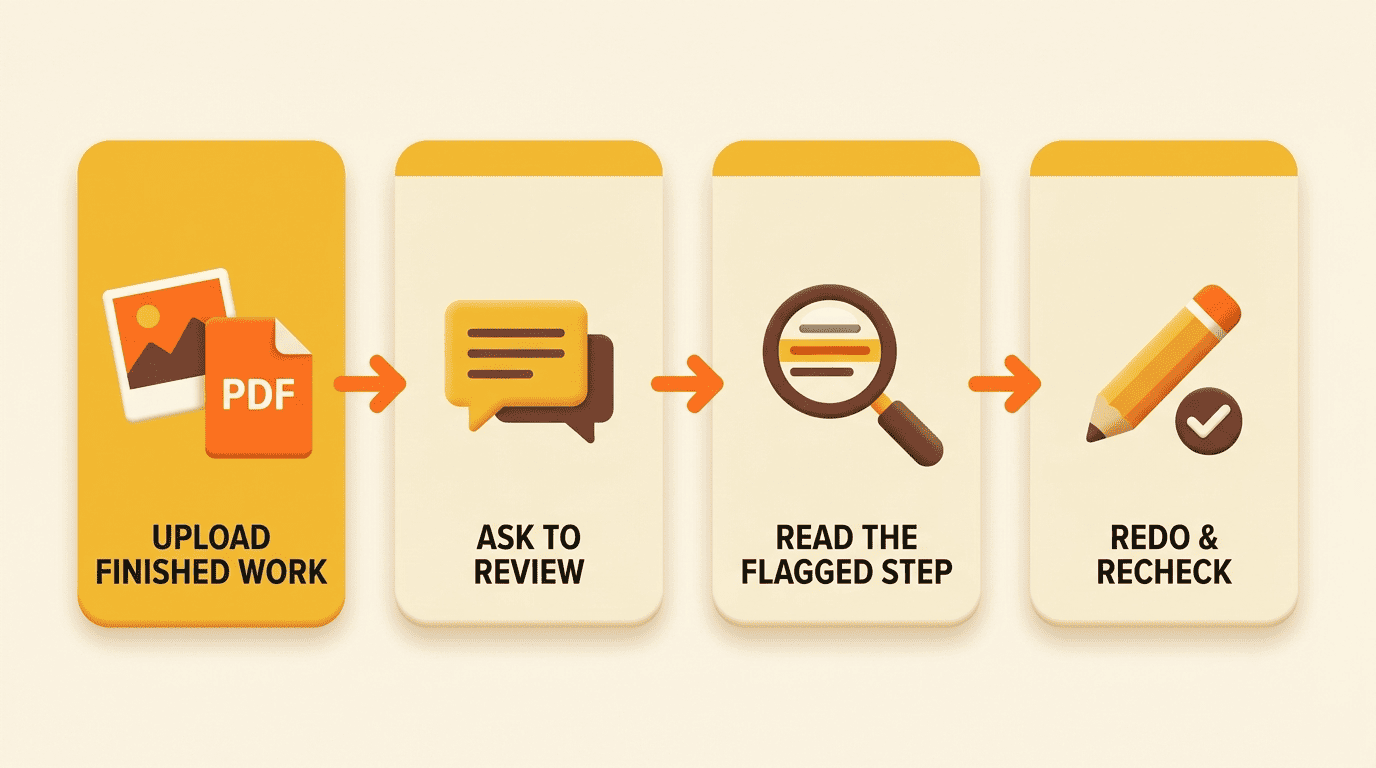
Four simple steps
- Upload your finished work — photo, scan, PDF, or typed text (results usually appear in seconds).
- Ask the checker to review your work, not to solve the problem for you.
- Read the flagged step and the plain-language explanation of why it broke.
- Redo that step yourself, then run the check again to confirm it holds.
Access is rarely a barrier: several tools in this space run free with no sign-up (Edubrain, Decopy), and NoteGPT gives 20 free tries a day. If you’re stuck before you’ve even attempted a problem — not checking a finished one — an AI homework solver is the better starting point, and the two tools work well as a pair.
Make the check a learning loop
The value is entirely in step 4. If you only read the correction, you’ve learned nothing new — you’ve just outsourced the grading. If you redo the step yourself and recheck it, you’ve actually closed the gap. For a broader look at when to lean on help before the work is even started, see our companion guide to AI homework help.
Which Subjects Can It Check?
Math and the sciences are where checkers are strongest. Algebra, calculus, statistics, physics, chemistry, and biology all have a clear correct method to check against, which is exactly the kind of structure these models handle well. MathGPT leans almost entirely into this math-first lane, while Edubrain spans 70+ subjects at once, covering most of a typical school schedule.
Writing and other open-ended subjects work differently. There’s no single «correct» essay, so a checker reviewing literature, history, or economics writing shifts from marking right/wrong to flagging grammar issues, structural gaps, and unsupported claims. It’s still your argument and your voice — the checker just points at the seams that need reinforcing.
Coverage varies a lot between tools, so it’s worth checking the subject list before relying on one for a specific class:
- Structured/quantitative: algebra, calculus, statistics, physics, chemistry, biology
- Humanities and open-ended: literature, history, writing, economics
- Applied/technical: computer science problem sets, lab reports
- Test-prep sets: practice problems formatted like exam questions
Is It Cheating? Academic Integrity and the AI Homework Checker
This is the question worth answering honestly, because the tool itself doesn’t decide whether it’s used well.
The line that matters
Using a checker to understand why your own finished answer was wrong is studying — you did the work, and you’re now closing the gap between your attempt and the correct method. Pasting AI-generated answers you don’t understand and submitting them as your own is a different act entirely, and it’s the one that crosses into academic dishonesty. The International Center for Academic Integrity frames the underlying standard as a commitment to honesty, trust, fairness, respect, responsibility, and courage — values that describe whose work gets submitted, not which tools were involved in preparing it. Kai is built for the first use case, never the second: it explains and quizzes, it doesn’t ghost-write the assignment.
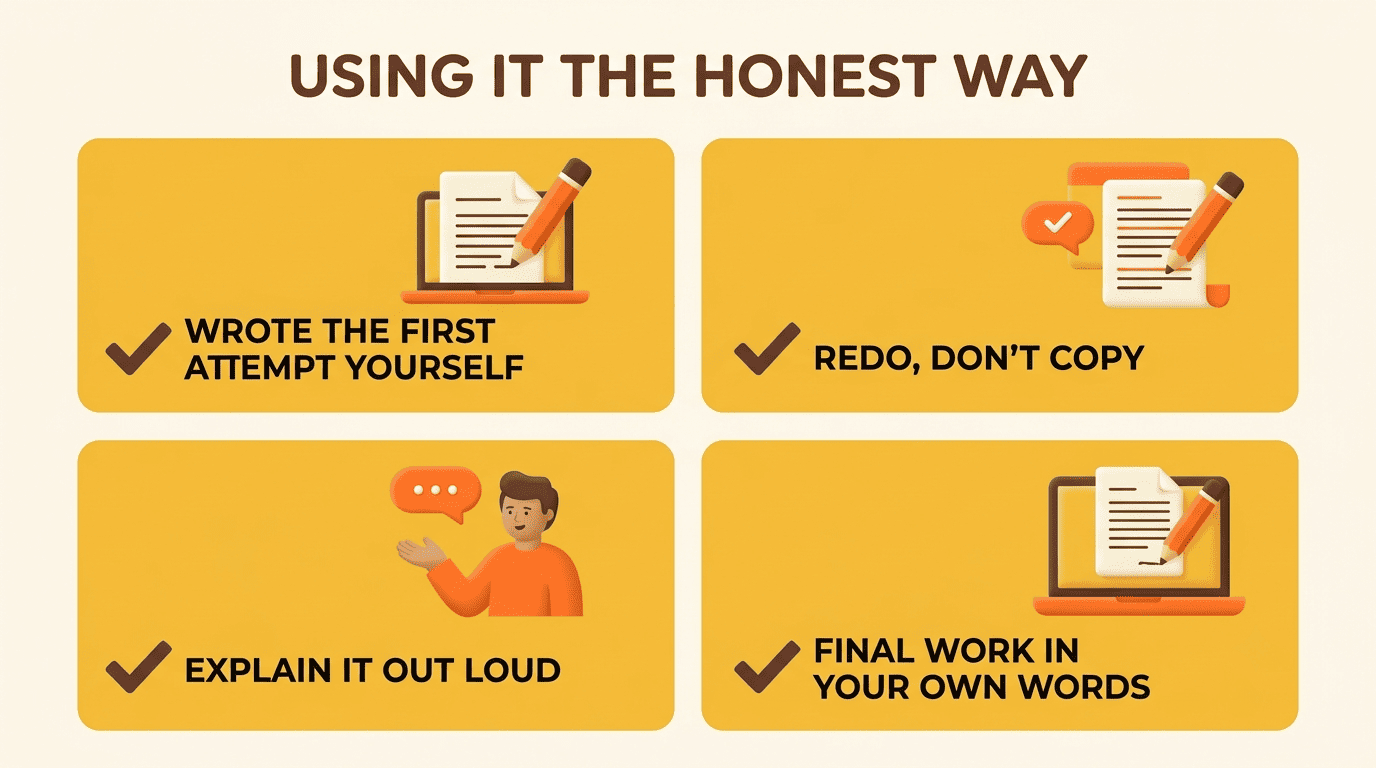
Keep it honest, keep it yours
A practical rule of thumb: if you couldn’t reproduce the work on a closed-book test tomorrow, you didn’t actually learn it today. Use the checker — and the redo-and-recheck loop above — until you can. A few signs you’re on the right side of that line:
- You wrote the original attempt yourself, start to finish
- You’re using the checker’s explanation to redo the step, not to copy a new answer
- You could explain the correction out loud without looking at the screen
- The final submission is still in your own words, your own handwriting, or your own code
How Accurate Is an AI Homework Checker — and Can You Trust It?
Accuracy claims in this category range from modest to inflated, so it’s worth knowing roughly what the numbers mean before trusting one blindly.
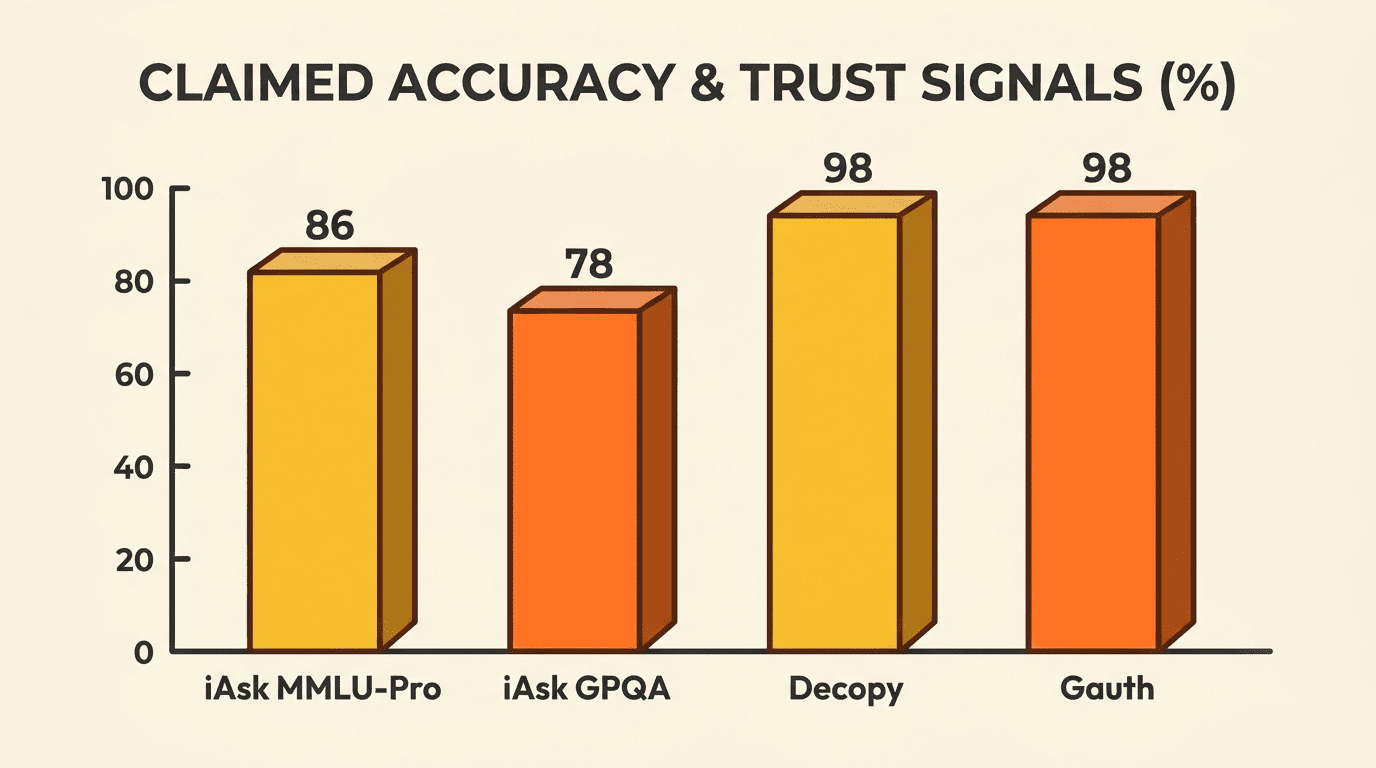
Good, not infallible
Benchmarks give a sense of ceiling rather than a guarantee. iAsk cites 85.85% on MMLU-Pro and 78.28% on GPQA, two of the harder general-knowledge and reasoning benchmarks tracked in the field. For broader context on what these benchmark scores do and don’t capture, Stanford’s AI Index tracks year-over-year model performance across MMLU and similar tests and notes that even frontier models plateau below perfect scores. No homework checker is right 100% of the time, despite marketing that sometimes implies otherwise — Decopy’s own FAQ walks a headline «100%» claim back to roughly 98% once you read past the tagline.
| Tool | Claimed accuracy / trust signal |
|---|---|
| iAsk | 85.85% MMLU-Pro, 78.28% GPQA |
| Gauth | 98.5% self-reported satisfaction |
| Decopy | ~98% (per its own FAQ, vs. «100%» marketing) |
| MathGPT | 2M+ students across 150+ countries |
| Edubrain | ~224K monthly users, 4.7 on Trustpilot |
Verify, don’t outsource your judgment
Cross-check any surprising correction, especially on edge cases where a problem is ambiguously worded or a proof has more than one valid path. The habit of double-checking is itself part of learning the material — and it’s exactly why a checker that explains its reasoning beats one that only asserts an answer.
Beyond Homework: Using a Checker for Test and Exam Prep
The same loop that fixes tonight’s homework also builds exam readiness. Run practice sets through the checker, fix what breaks, and re-test yourself — the identical cycle that outperforms passive re-reading or last-minute cramming. Several tools in this space, including Gauth, Edubrain, and Decopy, explicitly mention SAT and ACT prep as a use case, and for good reason: understanding why a practice answer is wrong is precisely what a timed exam ends up rewarding, since guessing rarely survives contact with a real test.

Before a test, that loop typically covers:
- Timed practice sets pulled from past exams or a study guide
- A checker pass on every missed or guessed question, not just the ones you flag as hard
- A short log of the specific rules or formulas that kept tripping you up
- One final pass a day or two before the exam, focused only on that log