
AI Homework Scanner: Snap a Photo, Get Step-by-Step Help That Actually Teaches You
Stuck on a problem at 10 p.m.? An AI homework help tool built around a scanner solves that in seconds: point your phone at the problem and get a worked, step-by-step explanation instead of a blank page.

The goal isn’t a copy-paste answer — it’s understanding the problem well enough to redo it yourself and catch your own mistakes before you turn in the assignment. Meet Kai, our AI homework helper: it explains each step, checks your work, and helps you actually get the concept, not just the number at the end.
What an AI homework scanner actually is
An AI homework scanner is exactly what it sounds like — a camera pointed at a question that comes back with a reasoned answer instead of a raw result. It reads printed text, handwriting, math notation, and diagrams, then walks through the logic the way a tutor would at your kitchen table.
From «stuck» to «step-by-step» in seconds
Snap a photo of a math problem, a chemistry equation, or a paragraph question; the tool reads it and returns a solution broken into clear steps. Millions of students already lean on this kind of tool: some popular homework helpers report 10M+ questions answered, with individual free scanners serving hundreds of thousands of students a month.
Scanner, solver, tutor — what’s the difference
A scanner is the input method (camera or photo). A solver returns the answer. A good AI homework helper like Kai does both and then explains the reasoning so you can redo it yourself on the next problem, without the app.
| Term | What it does | What you get |
|---|---|---|
| Scanner | Captures the problem via camera/photo | Digitized text and math from the page |
| Solver | Computes the answer | A final result |
| AI homework helper (like Kai) | Scans, solves, and explains | Step-by-step reasoning you can question and reuse |
How the scan-to-solution pipeline works
Behind a simple photo is a short pipeline: capture, recognize, solve, and explain. Understanding each stage makes it easier to trust — and double-check — what comes back.
Step 1 — capture and recognize the problem
The camera captures the page; behind the scenes, optical character recognition (OCR) turns pixels into text and math symbols. Modern scanners read messy handwriting and photos taken at any angle or lighting, and typically support around eight languages.
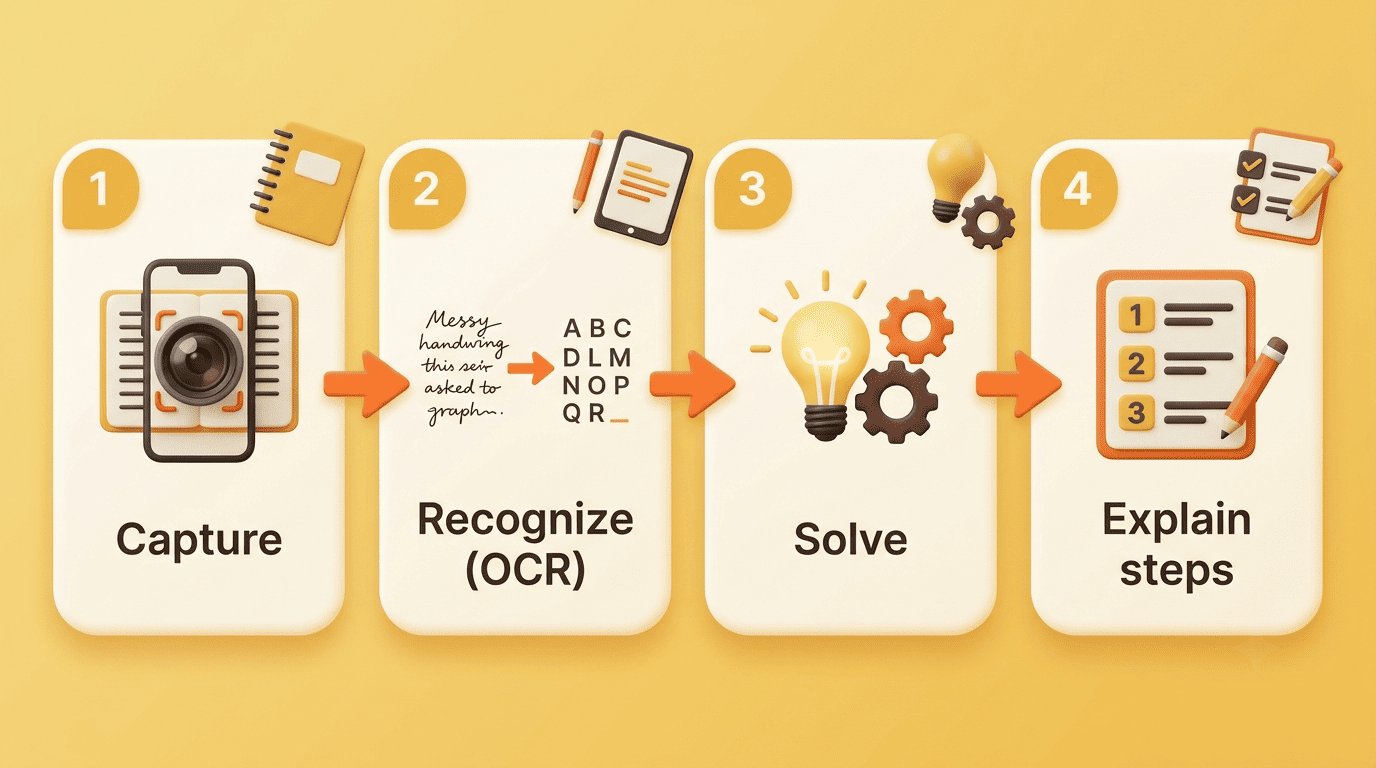
Step 2 — understand, solve, and render the steps
The recognized problem is parsed, solved, and rendered as readable steps, with math often shown in clean LaTeX formatting. Many tools, including Kai, offer answer modes — a detailed explanation, a condensed step-by-step, or a broader study guide built around the same problem.
Step 3 — you verify and learn
AI is not infallible. One popular solver advertises roughly 98% accuracy but still tells users to verify answers independently, and that’s the right instinct with any scanner. Treat the output as a tutor’s worked example, not a final grade — read the reasoning, check it against what your teacher taught, and only then call the problem done.
How to scan your homework the right way (phone walkthrough)
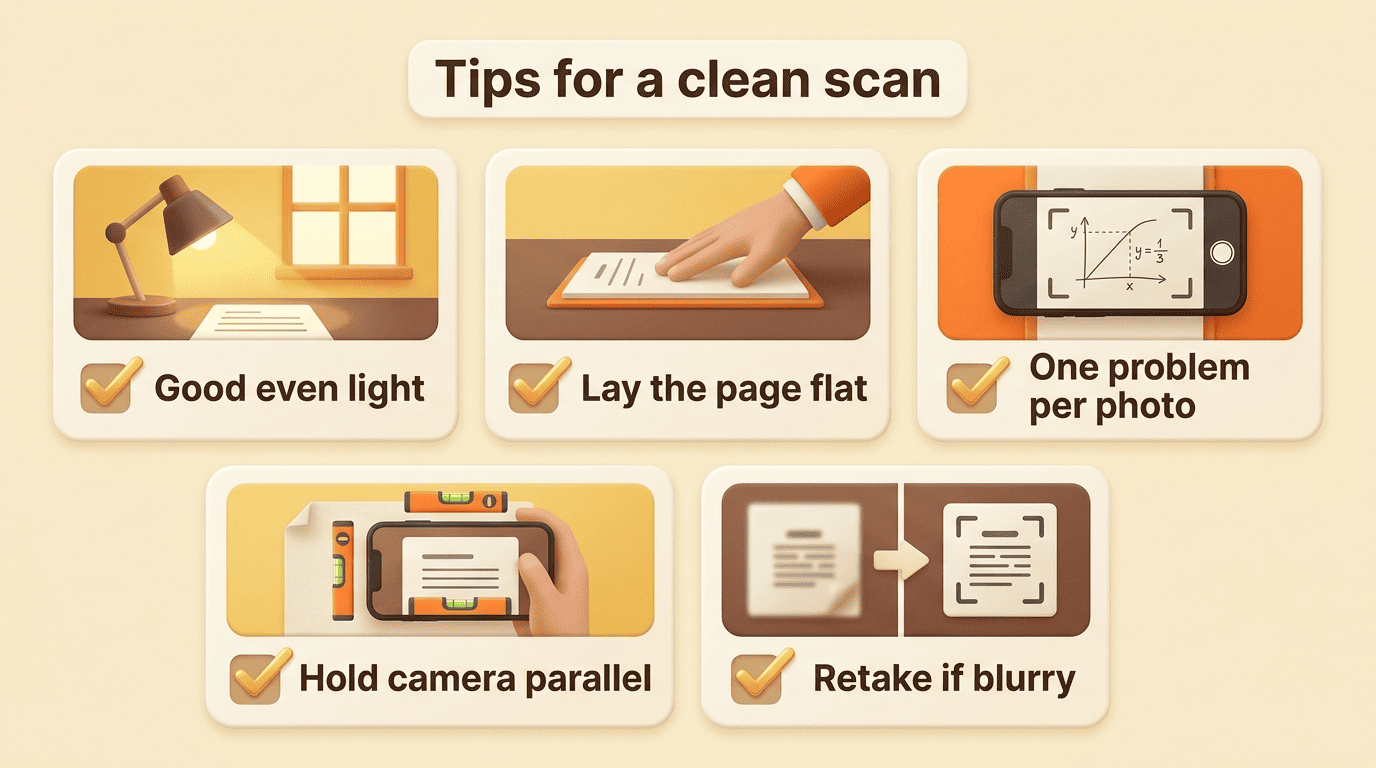
A clean scan makes every later step faster and more accurate. Here’s the short version of doing it well:
- Find good, even light — a window or a lamp works better than a dim room.
- Lay the page flat so there’s no curl or shadow across the text.
- Frame just one problem per photo; cropping tight avoids mixing questions.
- Hold the camera roughly parallel to the page to reduce distortion.
- Snap the photo and let the scanner read it — retake if any part looks blurry.
- Choose «step-by-step» mode instead of «answer only.»
- Read the explanation before writing anything down.
For typed problems you can paste the text directly instead of photographing it. And if you want the full worked answer after the scan, an AI homework solver walks the problem end to end, from the first line to the final result.
Ask for the explanation, not just the answer
Choose «step-by-step» or ask Kai a follow-up like «why does this step work?» That single habit turns a scanner into a study session instead of a shortcut.
Subjects and problem types it handles
A scanner is only as useful as the range of problems it can actually read. Coverage tends to fall into two broad buckets: STEM problems with structure (equations, graphs, diagrams) and humanities content that’s more about comprehension and explanation.
- Math, from basic arithmetic through calculus
- Physics and chemistry, including equations and lab-style diagrams
- Biology, with labeled diagrams and process questions
- History and literature, including reading passages and essay prompts
- Economics and computer science problems
STEM: math, physics, chemistry, biology
Multi-step equations, graphs, and diagrams are the sweet spot for a scanner. For fractions, algebra, and calculus, targeted AI math homework help shows each line of working so you can spot exactly where you’d go wrong on your own.
STEM problems tend to share the same input types across tools:
- Multi-step equations and word problems
- Graphs and function plots
- Labeled diagrams (biology, chemistry lab setups)
- Handwritten work shown line by line
Humanities: reading passages, history, languages
Scanners also read worksheets and passages, summarize them, and explain vocabulary or a history prompt in plain language, which is useful when the «problem» is really a comprehension question rather than a calculation.
Typical humanities inputs look different, but the same scan-and-explain flow applies:
- Reading passages and comprehension questions
- History prompts and short-answer worksheets
- Vocabulary and language-learning exercises
- Essay outlines and thesis statements
| Answer mode | Best for | What you get back |
|---|---|---|
| Detailed explanation | New or tricky concepts | Full reasoning behind every step |
| Step-by-step | Homework you mostly understand | A concise numbered walkthrough |
| Study guide | Exam prep | Key rules plus practice questions |
Is using an AI homework scanner cheating?
This is the question every student and parent eventually asks, and the honest answer is: it depends entirely on how you use it.
The line between help and shortcut
It comes down to intent. The International Center for Academic Integrity frames integrity around six values: honesty, trust, fairness, respect, responsibility, and courage. As the organization puts it:
Academic integrity is a commitment, even in the face of adversity, to six fundamental values: honesty, trust, fairness, respect, responsibility, and courage.
International Center for Academic Integrity
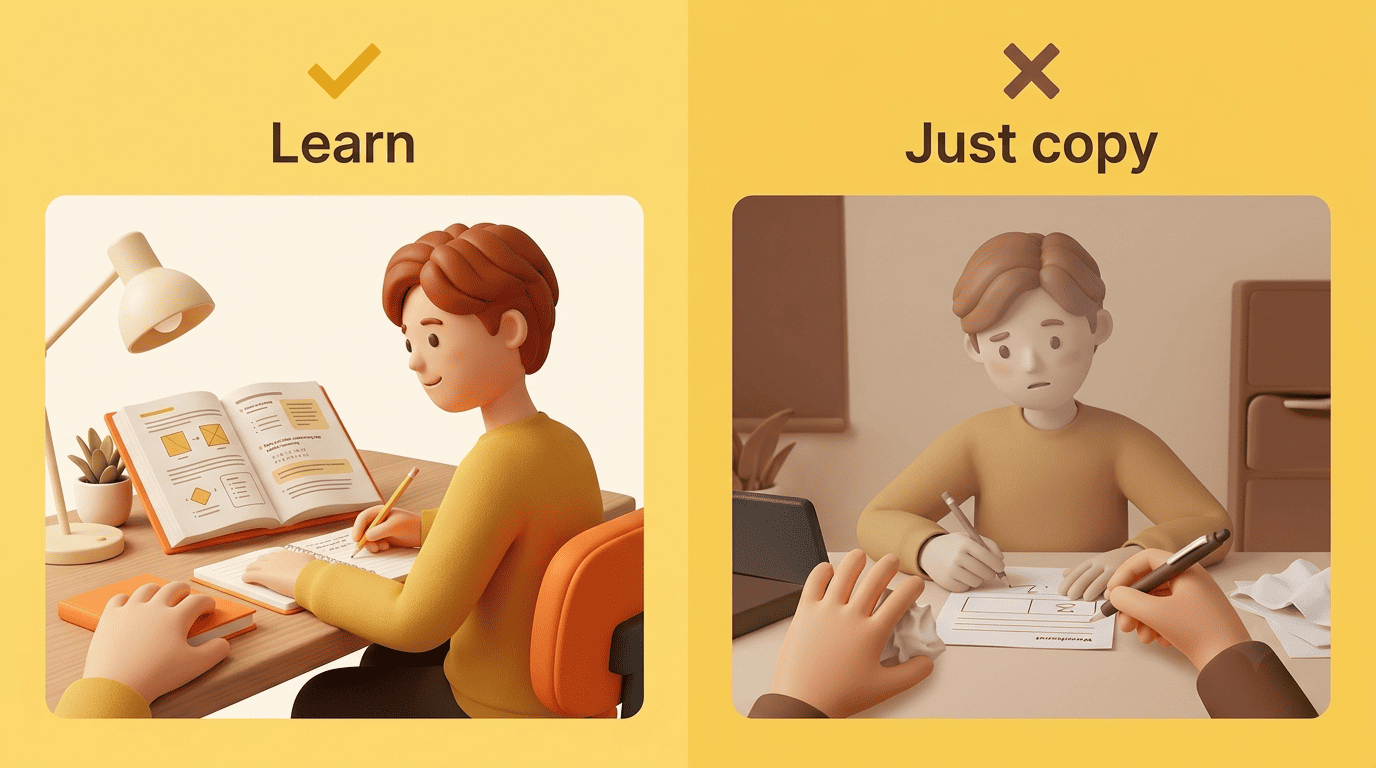
Using a scanner to understand a step honors those values; copying an answer you can’t reproduce on a test does not. The difference isn’t the tool — it’s whether you walk away able to solve the next problem without it.
Use it the way teachers actually endorse
The U.S. Department of Education’s 2023 report urges a «human in the loop» — AI should augment learning, not replace the student’s thinking. So check your finished work, understand the reasoning behind each step, and prep for the test with it; don’t submit what you didn’t reason through yourself.
Study smarter: checking work and prepping for tests
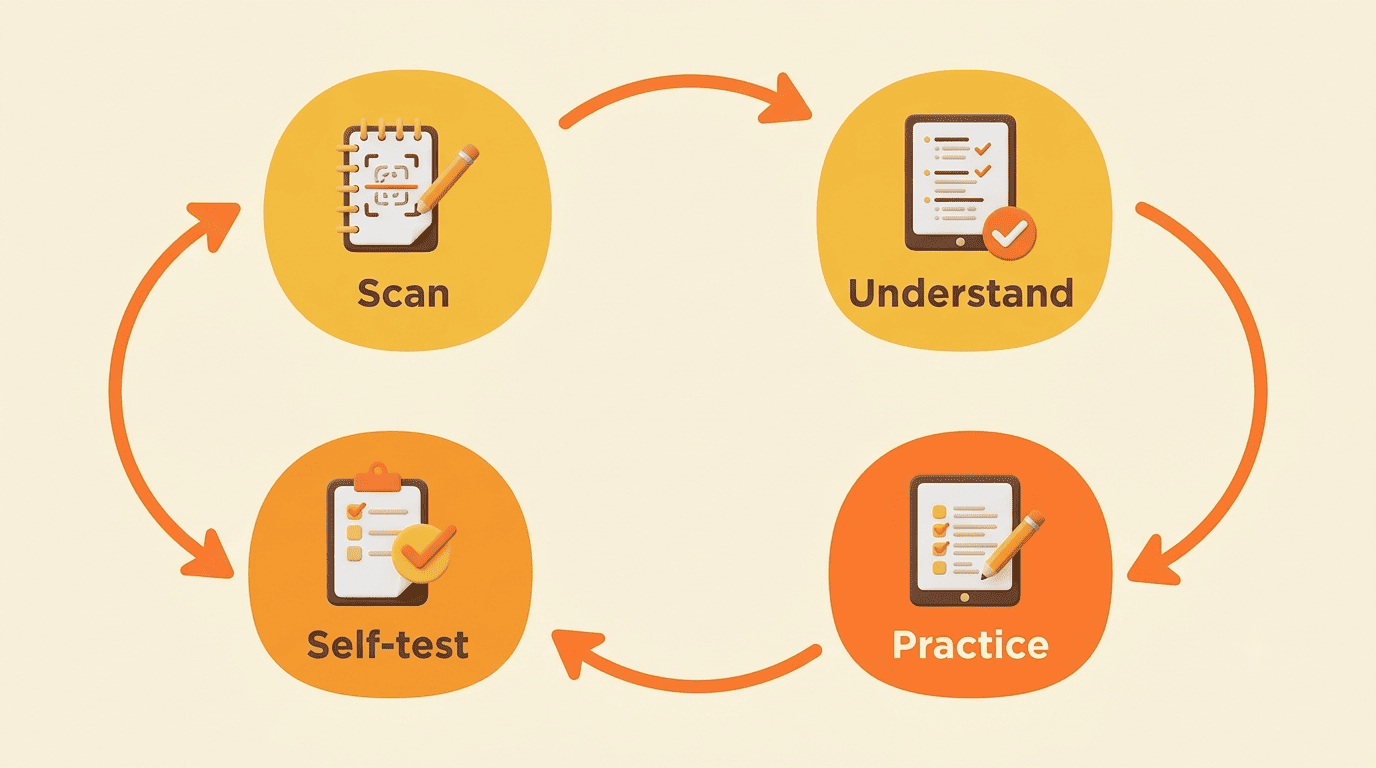
The most useful habit isn’t scanning a new problem — it’s using the same tool to close the loop on work you’ve already done.
Check your work before you turn it in
Scan your completed answer and ask the helper to find the mistake. Catching your own error and fixing it, rather than being told the right number upfront, is where the real learning happens.
Turn one problem into exam practice
Ask Kai to generate similar practice questions, then self-test without looking at the steps. Practicing recall — not re-reading answers — is what makes a concept stick for the actual exam.