AI Homework Solver: Get Any Problem Explained Step by Step
An AI homework solver takes one stuck-on problem — snap a photo or type it in — and walks you through the full solution, step by step. That’s the whole point of AI powered homework help from Kai: not the final answer, but seeing how the problem gets solved, so you can do the next one yourself. Software built this way — adapting to a single learner and explaining its own reasoning rather than just returning a result — is what Wikipedia’s overview of intelligent tutoring systems describes as the core idea behind computer-based tutoring.

Think of it as a patient tutor available at 2 a.m. It explains the reasoning behind each move, not just the number at the bottom of the page.
What an AI Homework Solver Is (and Isn’t)
An AI homework solver is a tool built around a single moment: you’re stuck on one specific problem, and you need it broken down. Unlike a general homework AI that chats about a topic, a solver takes the exact question — an equation, a lab prompt, a grammar exercise — and reconstructs it, step by step, so every part of the answer traces back to a rule you can name. It works across nearly every subject and returns an explanation in seconds, not minutes.
A solver worth using tends to share a few traits:
- It restates the problem before solving it, so you can confirm it understood the question
- It numbers each step and names the rule behind it, instead of jumping straight to a result
- It answers follow-up «why» questions instead of repeating the same explanation
- It flags when a problem is ambiguous rather than guessing silently
A solver vs an answer key
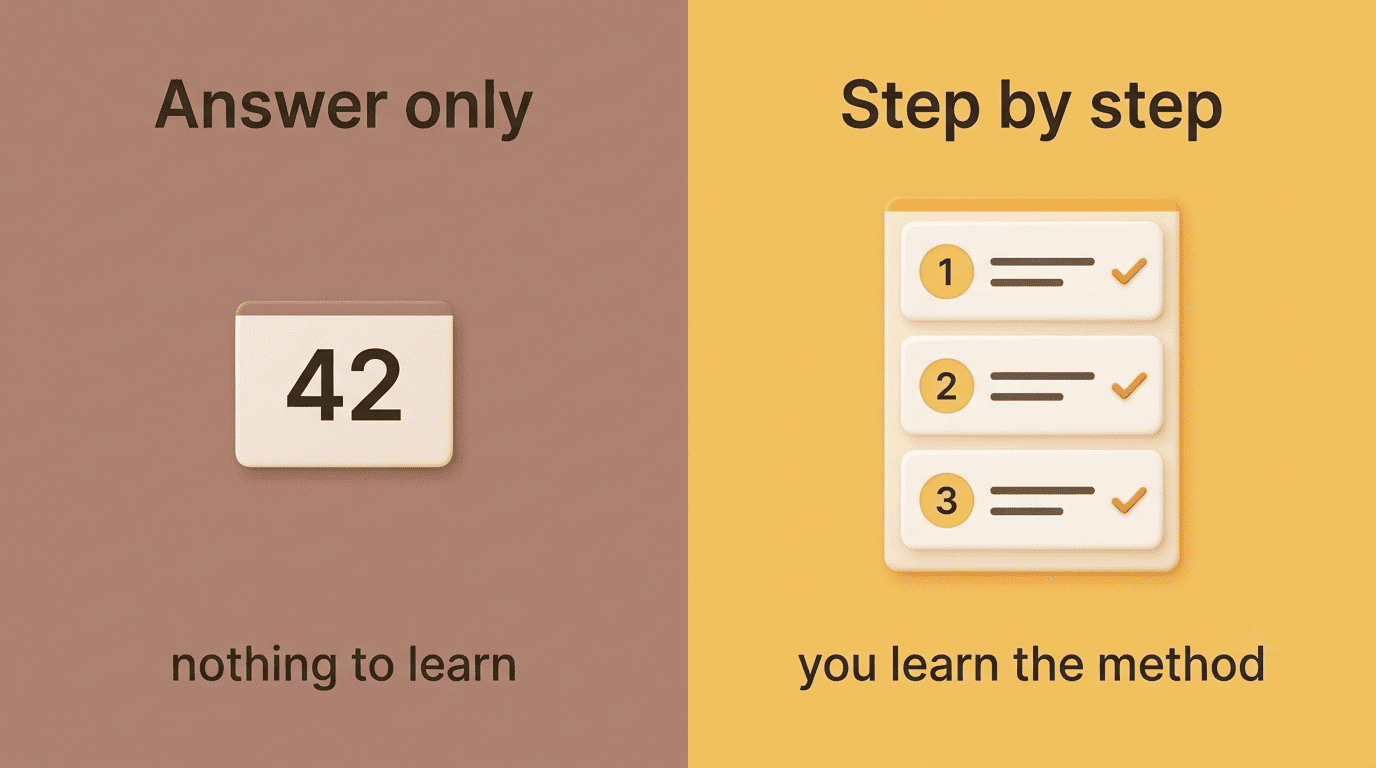
An answer key gives you a number. An AI homework solver gives you a path. A good one restates the problem in its own words, breaks it into numbered steps, and names the rule or formula behind each move — so you’re not just copying a result, you’re following logic you could repeat on a different problem. This is what separates a homework AI worth using from a plain search-and-copy shortcut: the same AI problem solver that gets you unstuck today should make tomorrow’s similar problem easier, because you actually watched the method.
It’s a study aid, not a shortcut. The tool exists so you understand the method well enough to reproduce it — not so you can skip understanding it. StudyMonkey, one of the tools in this category, puts its own philosophy on the page in plain terms: «It’s not cheating… you’re just learning smarter.» Reading a step-by-step breakdown to check your logic is studying. Pasting the final answer into an assignment you’re turning in for a grade is a different act entirely, and most schools treat it that way.
How an AI Homework Solver Works — Photo to Steps
Most AI homework solvers follow the same basic pipeline: you feed in a problem, the tool reads and understands it, and it hands back a structured explanation. The input side is flexible on purpose — a solver is only useful if it can meet you wherever the homework already lives, whether that’s a worksheet, a textbook page, or a blank line you type into.
Worked examples improve learning by reducing cognitive load during skill acquisition.
Worked-example effect, Wikipedia
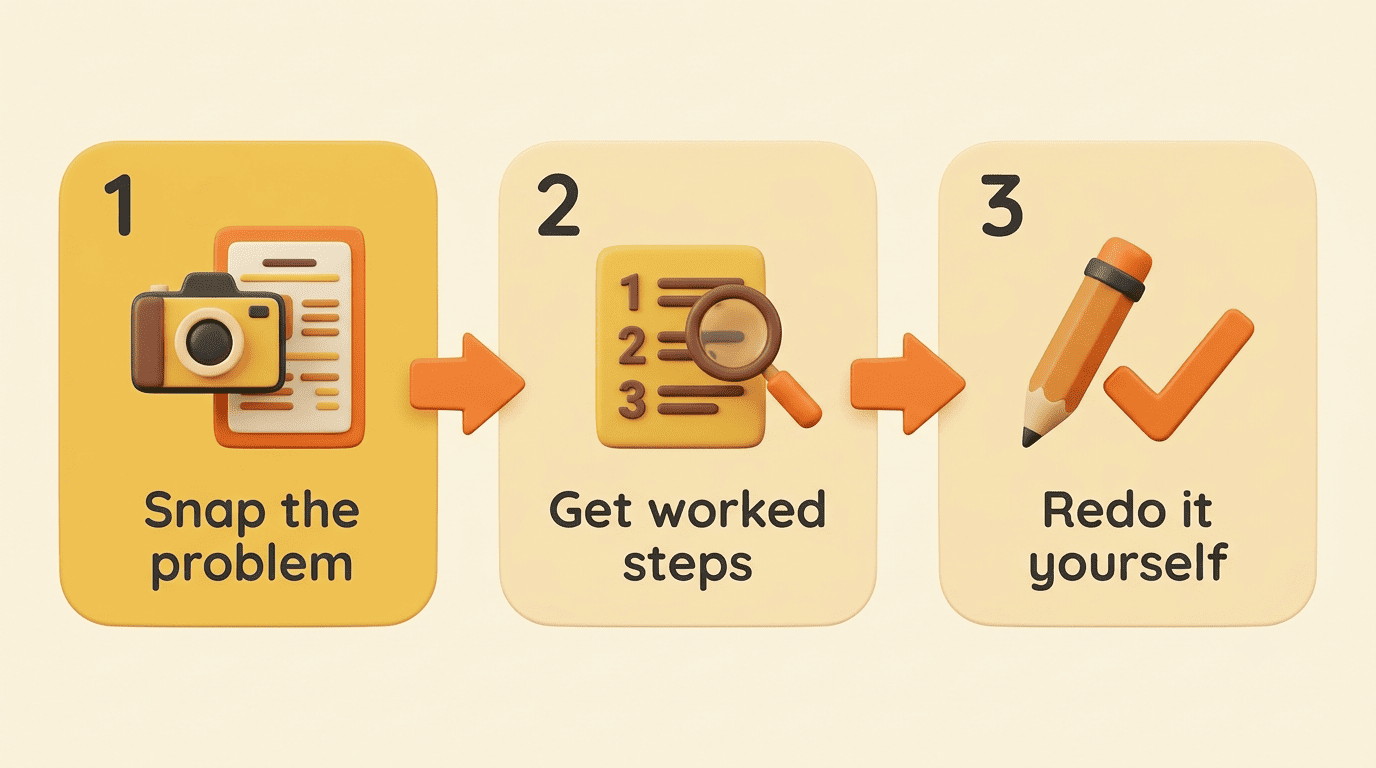
Step 1-3: capture, solve, learn
A typical run looks like this:
- Snap a photo of the problem, upload a PDF, or type it directly into the solver.
- The solver reads the input using optical character recognition (a technology explained in detail on Wikipedia’s OCR overview), which turns handwriting or printed text into machine-readable content.
- It parses what kind of problem this is — an equation, a proof, a short-answer question — and maps out the steps needed to solve it.
- It returns a numbered, worked explanation with the rule behind each step.
- Some tools, like EduSolver, show hints before the full answer, so you get a nudge to try the next step yourself before the solver reveals it.
- You compare your own attempt to the solver’s path and see exactly where your reasoning diverged.
What the inputs can be
An AI homework solver typically accepts several input formats, so it can meet the problem wherever it already exists:
- A photo of a printed textbook page or handwritten scratch work
- A scanned or exported PDF, DOC, or DOCX file
- A pasted screenshot (Ctrl+V straight into the input box)
- Plain typed text for a quick, single question
Edubrain goes a step further and even accepts audio input, with an upload limit around 25MB per file — useful if you’re submitting a multi-page problem set at once rather than one question.
Reading the Worked Solution — the Part That Teaches
The output is the part most students skim past, but it’s the part that actually builds understanding. A step-by-step explanation from an AI homework solver isn’t just a longer answer — it’s a numbered sequence, each step tied to a named rule, formula, or definition, so you can trace exactly why the solver moved from one line to the next.
Reading passively defeats the purpose, though. The habit that makes a difference is closing the explanation and redoing the problem cold, then checking where you got stuck. Don’t just read the steps top to bottom — close the solution and try to reproduce it from memory. If a step doesn’t make sense, ask the solver directly: «why did you divide here?» A solver built to teach, not just answer, will respond to that follow-up instead of repeating the same explanation.
This mirrors what education researchers call self-explanation: prompting yourself, or a tutor, to justify each step of a worked example measurably deepens understanding compared to reading the same example passively, which is one reason worked-example formats are studied so heavily in cognitive-load research. Strong solvers apply the same idea from another angle by showing more than one method — factoring instead of the quadratic formula, a diagram instead of an equation. Seeing two paths to the same answer forces you to notice the underlying concept, rather than memorize one sequence of moves that only works on problems shaped exactly like this one.
That’s what separates real comprehension from pattern-matching a homework AI’s steps onto next week’s near-identical problem — you’re learning the concept the steps represent, not just the order they appeared in.
Which Subjects and Levels It Handles
| Subject area | Typical problem types | Level range |
|---|---|---|
| Math | Algebra, calculus, geometry, statistics | Elementary → college |
| Science | Biology, chemistry, physics labs | Middle school → college |
| Humanities | Literature analysis, history essays | Elementary → college |
| Languages & CS | Grammar, translation, code debugging | Middle school → college |
From math to essays. Math is where most students reach for a solver first, and AI math homework help leans on formatting that keeps the steps legible: problems often render with structured math notation — fractions, exponents, roots — so equations display correctly instead of collapsing into plain text, a detail tools like Decopy and Edubrain build in specifically. Beyond math, the same step-by-step approach applies to science labs, literature analysis, history arguments, language exercises, and basic code debugging. Coverage spans from elementary worksheets to college-level coursework; Edubrain alone groups its subjects into five broad areas — exact sciences, earth sciences, humanities, languages, and business/tech — and Atlas reports over a million students using its tools across that range.
Test and exam prep. A single worked problem doesn’t have to be the end of the session. Several solvers, including EduSolver, HomeworkAI, and Decopy, will generate similar practice problems once you’ve worked through the original — turning one homework question into a small self-quiz for an upcoming test, using the same method you just learned.
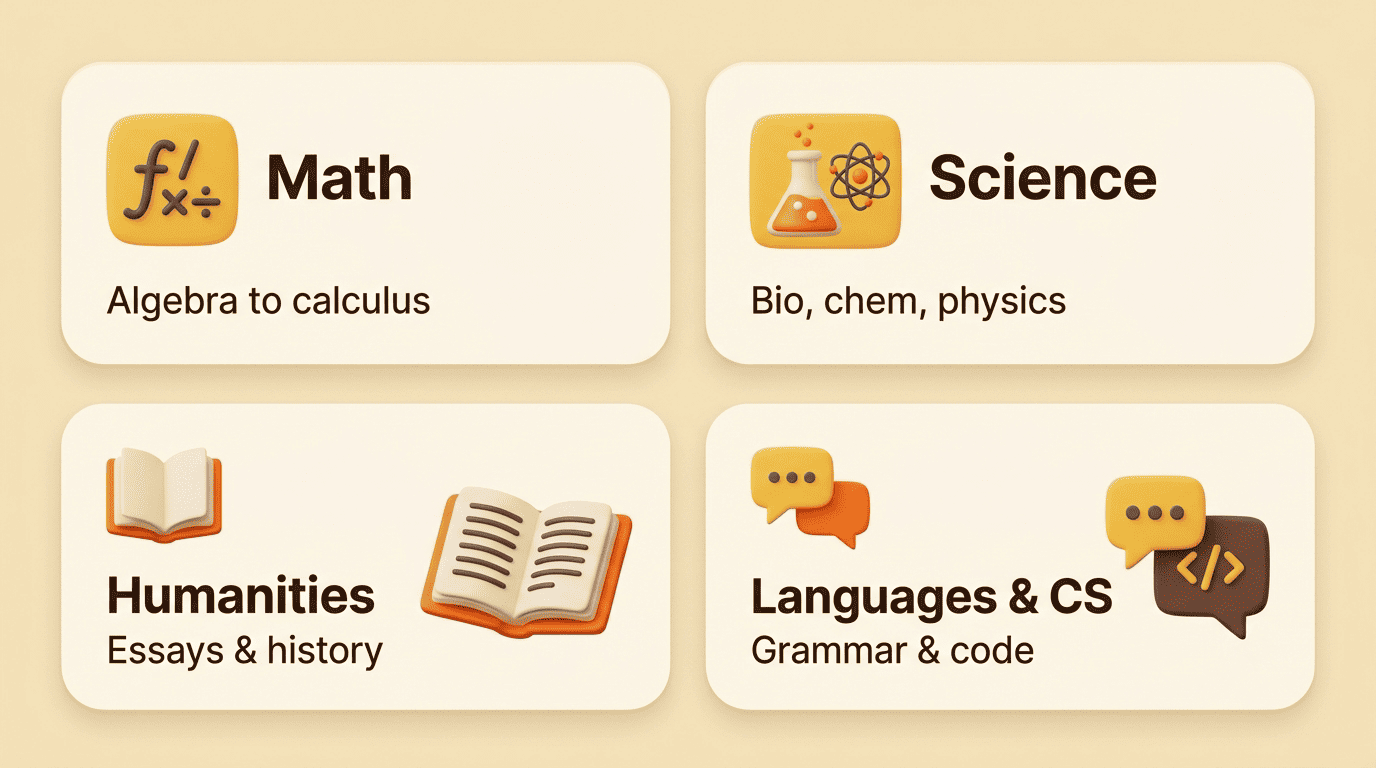
All levels, one method. Whether the problem comes from a fifth-grade worksheet or a college problem set, the underlying process stays the same: restate, break into steps, name the rule. That consistency is part of why the format works across such a wide age range.
Is It Free, Accurate, and Fair to Use?
Cost and accuracy are the two questions students ask right after «does it work.» Neither has a single answer across the category — pricing and stated accuracy both vary by tool, and no solver is right 100% of the time.
| Tool | Free tier | Paid tier | Reported rating |
|---|---|---|---|
| NoteGPT | 20 problems/day, no sign-up | — | — |
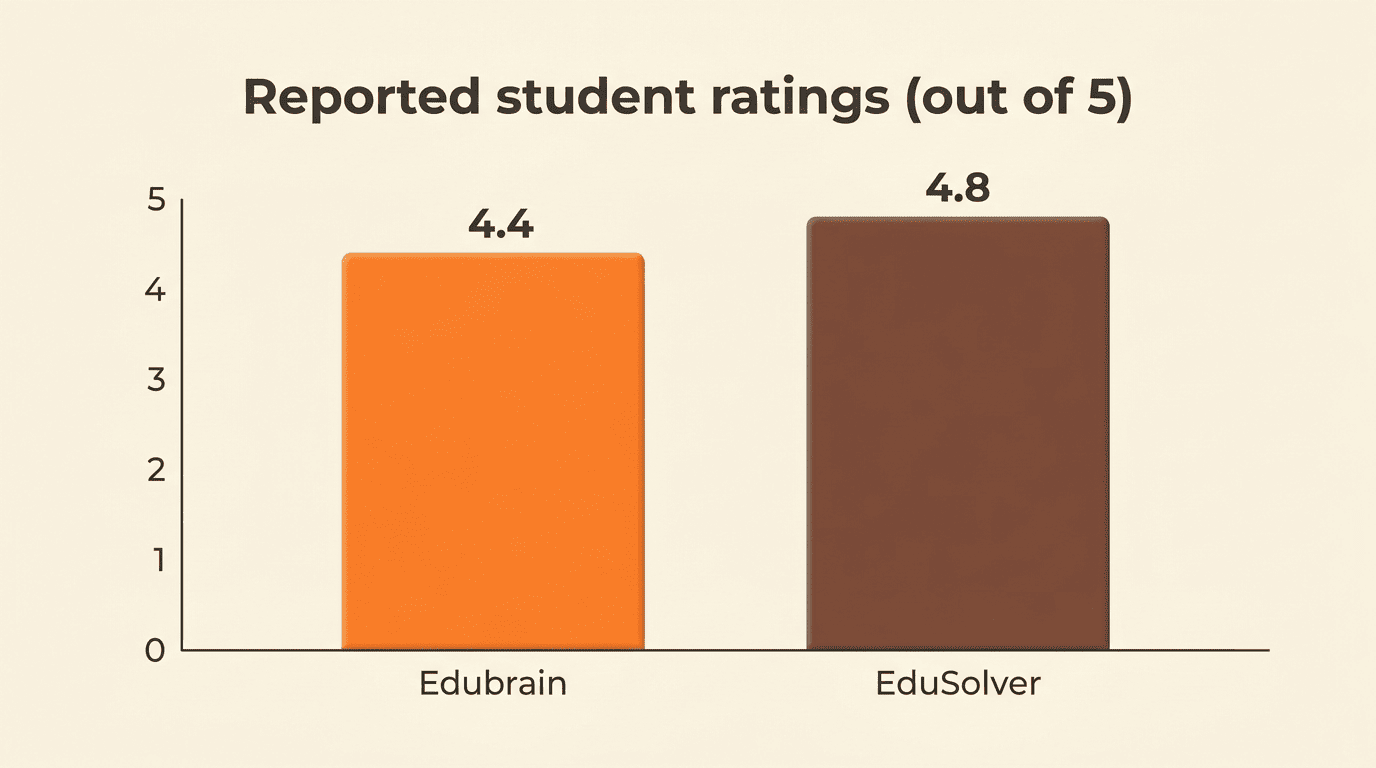
| Edubrain | AI-Plus free tier | $3.99/week | 4.4 on Trustpilot |
| EduSolver | Free | — | 4.8/5, 120k+ students |
| Decopy | Free, claims ~98% accuracy | — | — |
Free vs paid
Most AI homework solvers are free with a daily cap — NoteGPT, for example, allows 20 problems a day without an account — while a smaller group charges for unlimited use or extra features, like Edubrain’s $3.99-a-week tier. Kai, the AI homework helper behind this site, is built to be available online without that barrier, so you can bring a problem in and see the explanation before deciding whether you need anything more.
Accuracy — always double-check
Reported accuracy runs high — Decopy claims around 98% — but no AI homework solver is guaranteed correct on every multi-step or unusual problem. Before you trust a worked solution, it’s worth checking a few things:
- Does the final answer have the right units?
- Does each step follow logically from the one before it, or did the solver skip ahead?
- Does the method match what your class was actually taught, or a different valid approach?
- Would you be able to redo the problem cold, without looking?
Treat the explanation as a teaching tool, not an oracle. If a step-by-step homework solver’s logic doesn’t match what your teacher taught, ask why before you trust it over your own notes.
Where honest use ends
The line is simpler than it sounds:
- Reading a step-by-step breakdown to understand a method, then checking your own work against it — studying.
- Redoing a problem from memory after seeing the solver’s explanation — studying.
- Copying a final answer you can’t explain into work you’re submitting for credit — an academic-integrity violation at most schools.
MIT’s own guidance to students puts the underlying principle directly:
Honesty is the foundation of good academic work.
MIT Academic Integrity
Kai is built around that line: it explains, it asks follow-up questions, and it checks your own attempt against the correct method — rather than handing over a bare answer to paste. If you’re using an AI homework help tool the way it’s meant to be used, you should be walking away from every session able to solve the next problem without it.